
Introduction
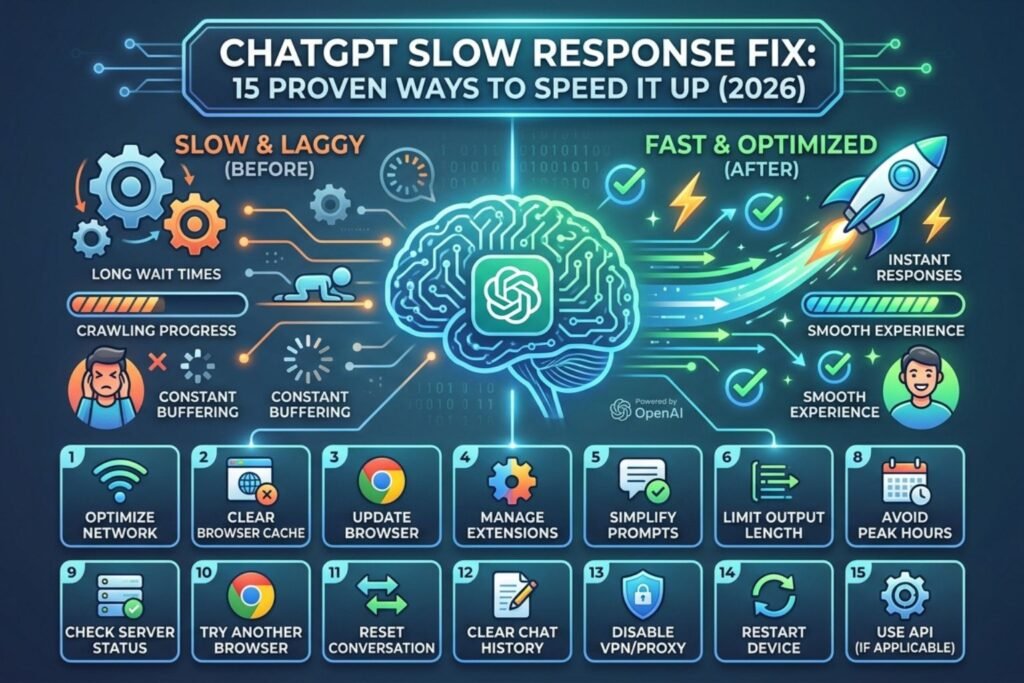
Few things break your workflow like typing a question into ChatGPT and then watching the cursor blink for what feels like forever. A chatgpt slow response fix is exactly what most people search for the moment their chat window freezes mid-answer or takes ages to load a single reply. The good news is that slow performance almost never means something is permanently wrong. Most of the time, it comes down to server load, browser clutter, a shaky internet connection, or a setting that quietly slows things down. This guide walks through every realistic cause and gives clear, tested solutions that anyone can follow, whether they use ChatGPT on a laptop, phone, or through the API.
Quick Answer (Featured Snippet)
To fix a slow ChatGPT response, clear the browser cache, disable unnecessary extensions, switch to a stable Wi-Fi connection, close extra tabs, restart the app, and check OpenAI’s status page for outages. Upgrading to ChatGPT Plus during peak hours also reduces wait times significantly.
Why Is ChatGPT Responding So Slowly?
Before jumping into fixes, it helps to understand what actually causes the delay. Slowness usually falls into one of a few buckets: server-side congestion, local device issues, network hiccups, or the complexity of the prompt itself.
Server Load and Peak Traffic
ChatGPT serves millions of requests every hour. During peak hours in the US and Europe, response generation can slow down simply because demand spikes. OpenAI explains that heavy traffic periods can affect response times across both free and paid tiers, though Plus users generally get priority access.
Complex or Long Prompts
Longer conversations and detailed prompts require more processing power. A request asking for a 3,000-word essay with multiple constraints will always take longer than a one-line question.
Browser and Device Bottlenecks
An overloaded browser with dozens of open tabs, outdated cache files, or conflicting extensions can silently choke ChatGPT’s interface, even when OpenAI’s servers are running fine.
Network and ISP Issues
A weak Wi-Fi signal, an overloaded router, or throttling from an internet service provider can make even a fast server feel sluggish on your end.
Chatgpt Slow Response Fix: Quick Checks Before You Troubleshoot
Before diving into deeper fixes, run through this quick checklist. Most users report that one of these simple checks solves the issue in under two minutes.
- Check your internet speed with a quick speed test
- Refresh the ChatGPT page or restart the app
- Confirm OpenAI’s status page shows no ongoing incidents
- Close unused browser tabs
- Try a different browser or device
Step-by-Step ChatGPT Slow Response Fix Guide
Here is a full walkthrough, starting with the easiest fixes and moving toward more advanced troubleshooting.
Check OpenAI’s Status Page First. Visit the official OpenAI status page to see if there’s a known outage or degraded performance affecting all users, not just you.
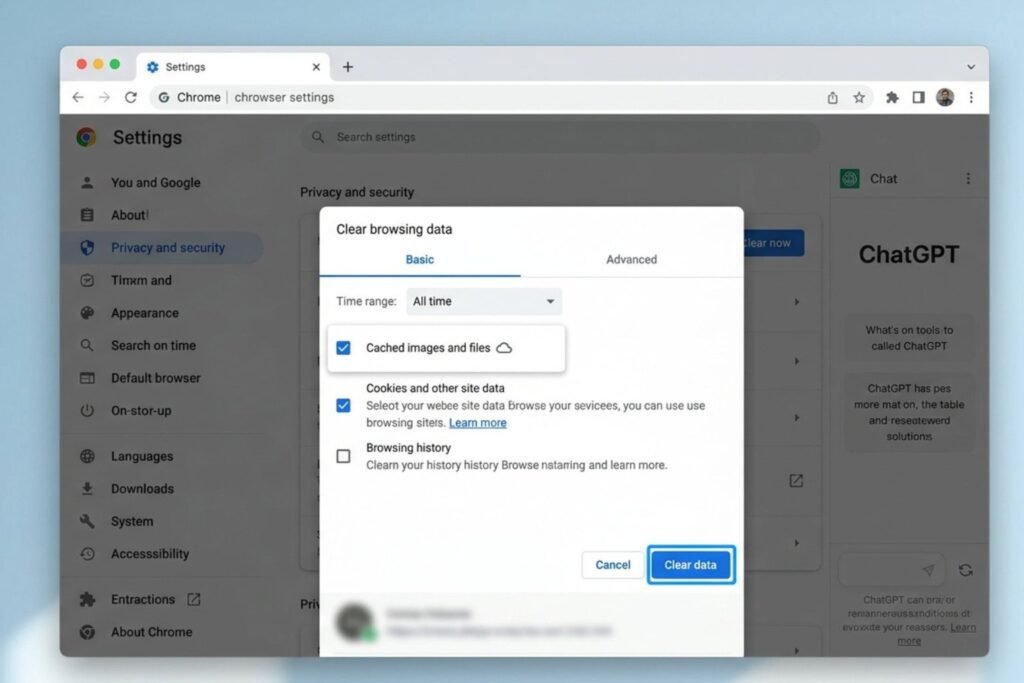
Clear Browser Cache and Cookies. Old cached files can conflict with ChatGPT’s web app. Clearing them forces a fresh load of the site’s latest code.
Disable Browser Extensions. Ad blockers, VPN extensions, and privacy tools sometimes interfere with ChatGPT’s real-time streaming responses. Turn them off one at a time to isolate the culprit.
Switch Networks. Move from public Wi-Fi to a private, stable connection, or try mobile data temporarily to rule out ISP throttling.
Restart the App or Device. A simple restart clears temporary memory issues that build up over long sessions.

Shorten Your Prompt. Break large requests into smaller chunks. Asking for one section at a time often returns faster, cleaner responses.
Try a Different Browser. Chrome, Firefox, Edge, and Safari all handle JavaScript-heavy sites differently. Switching browsers can rule out a browser-specific bug.
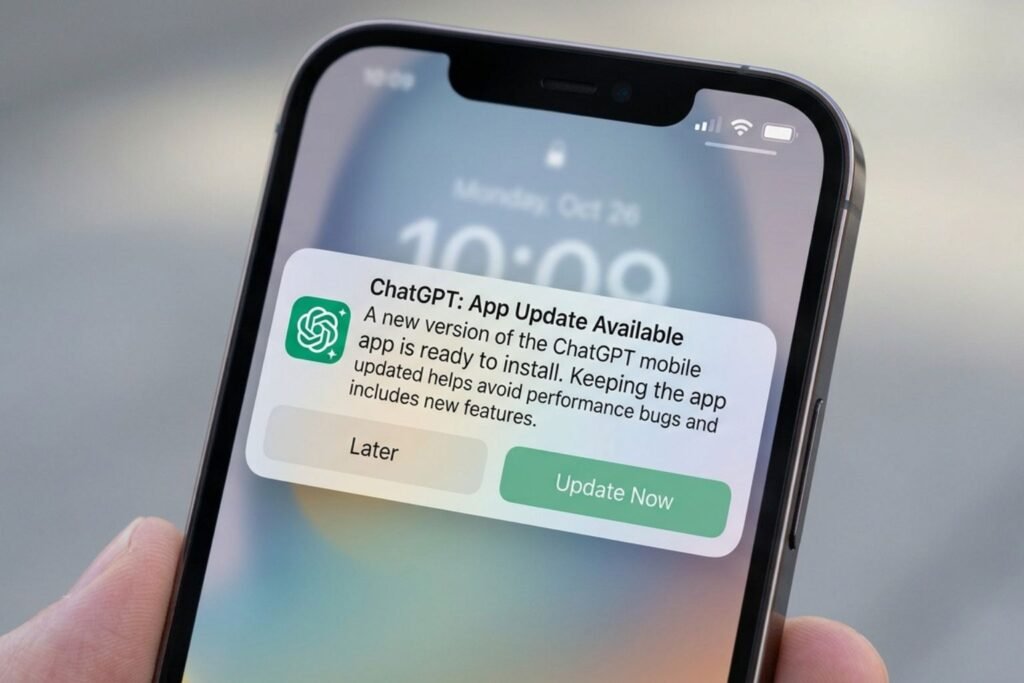
Update the App. Outdated versions of the ChatGPT mobile or desktop app sometimes carry unresolved performance bugs that newer updates fix.
Log Out and Back In. This refreshes your session token and can resolve backend syncing delays.
Avoid Peak Hours. Traffic tends to spike during evenings in the US. Using ChatGPT earlier in the day can mean faster replies.
Consider Upgrading to Plus or Team. Paid tiers generally get priority bandwidth, especially during high-traffic periods.
Use the API Instead of the Web App. Developers who need consistent speed sometimes find the API more reliable than the browser interface.
Check Your Device’s Storage and RAM. A device running low on memory struggles to render long chat threads smoothly.
Disable Background Apps. Streaming services, cloud backups, and large downloads running in the background eat up bandwidth ChatGPT needs.
Contact OpenAI Support. If nothing works after trying the steps above, reach out directly through the official OpenAI help center.
ChatGPT Free vs Plus: Speed Comparison
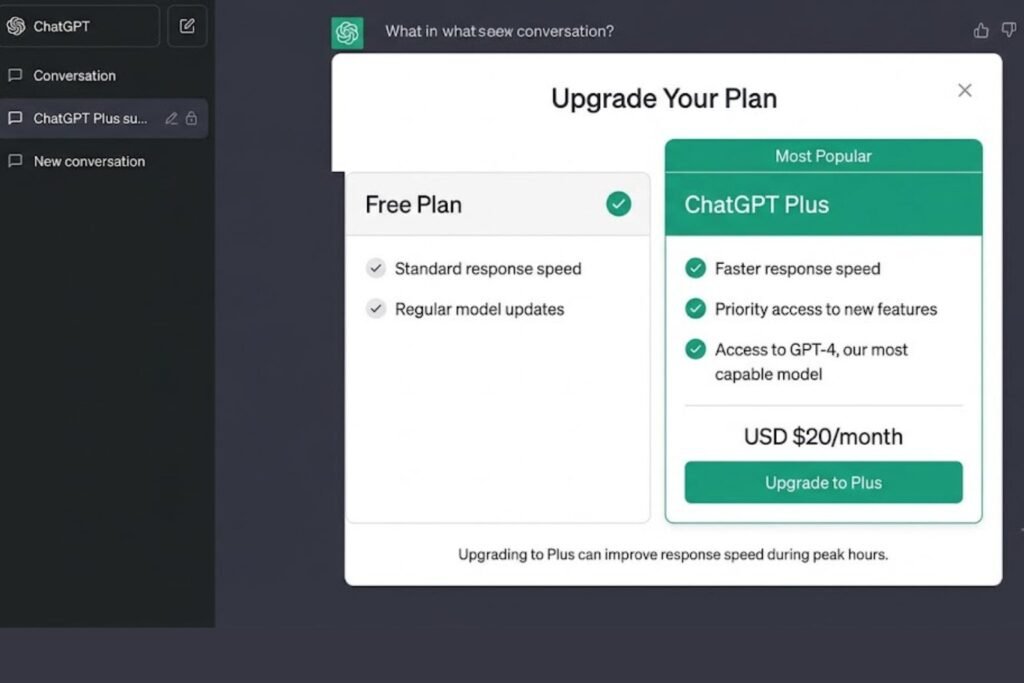
| Feature | ChatGPT Free | ChatGPT Plus |
|---|---|---|
| Priority during peak hours | Standard queue | Priority access |
| Response speed | Can slow during high traffic | Generally faster and steadier |
| Access to newer models | Limited | Broader access |
| Usage limits | Lower message caps | Higher message caps |
| Best for | Casual, occasional use | Frequent, daily use |
[Internal Link: ChatGPT Subscription Guide]
Browser vs App vs API: Which Is Fastest?
| Platform | Typical Speed | Best For |
|---|---|---|
| Web Browser | Moderate, depends on device and connection | General everyday use |
| Mobile App | Fast on strong networks, variable on weak signal | On-the-go use |
| Desktop App | Generally stable | Heavy daily users |
| API | Fastest and most consistent for developers | Custom applications and automation |
[chatgpt conversation not loading]
Common Mistakes to Avoid
- Blaming ChatGPT before checking your own network. Many slowdowns start with a weak home connection, not OpenAI’s servers.
- Keeping dozens of browser tabs open. This quietly drains memory and CPU, slowing every site including ChatGPT.
- Ignoring app updates. Skipping updates means missing out on performance fixes OpenAI regularly ships.
- Writing overly long prompts in one go. Splitting big tasks into smaller steps almost always speeds up generation.
- Assuming a VPN always helps. Some VPNs actually add latency and slow down streaming responses.
[chatgpt not generating answers]
Expert Tips to Keep ChatGPT Running Fast
Google recommends keeping browsers updated and cache cleared regularly for any web application, and the same logic applies here. A few extra habits go a long way:
- Bookmark the official OpenAI status page and check it first whenever something feels off.
- Keep only one or two ChatGPT tabs open at a time.
- Restart your router weekly if you’re on a home network with frequent slowdowns.
- Use wired ethernet instead of Wi-Fi for the most stable connection during long sessions.
- If using ChatGPT for coding or long documents, break tasks into stages rather than one giant prompt.
[chatgpt upload image not working]
Pros and Cons of Each Fix
| Fix | Pros | Cons |
|---|---|---|
| Clearing cache | Free, quick, often effective | May log you out temporarily |
| Switching browsers | Easy to test | Requires reinstalling extensions |
| Upgrading to Plus | Priority access, higher limits | Comes with a monthly cost |
| Using the API | Most consistent speed | Requires technical setup |
| Restarting router | Solves network-based lag | Temporary internet interruption |
[chatgpt voice mode not working]
FAQs
1. Why is ChatGPT taking so long to respond today? It’s usually due to high traffic during peak hours or a temporary issue on OpenAI’s end. Check the official status page to confirm.
2. Does clearing my cache actually fix ChatGPT lag? Yes, in many cases. A cluttered cache can conflict with the site’s latest code, and clearing it often restores normal speed.
3. Is ChatGPT Plus really faster than the free version? Plus users typically get priority access during busy periods, which usually means noticeably faster and more consistent replies.
4. Can a VPN slow down ChatGPT? Yes, some VPNs add extra routing steps that increase latency. Try disabling it temporarily to see if speed improves.
5. Why is ChatGPT slow only on my phone but not my laptop? This usually points to a weak mobile signal, an outdated app version, or low storage on the device itself.
6. Does a longer conversation history slow down ChatGPT? Very long threads can slow rendering, especially on older devices. Starting a new chat often helps.
7. How do I know if the slowness is on my end or OpenAI’s? Check the official OpenAI status page. If it shows no incidents, the issue is more likely local to your device or network.
Conclusion
A slow ChatGPT response is almost always fixable, and the chatgpt slow response fix steps above cover the vast majority of cases people run into, from clogged browser caches to peak-hour server congestion. Start with the simple checks, work through the step-by-step guide, and consider a Plus upgrade if speed is a recurring problem. With a few small adjustments, ChatGPT should feel fast and responsive again in no time. Try the fixes above one at a time, and bookmark this guide for the next time things slow down.