
Introduction
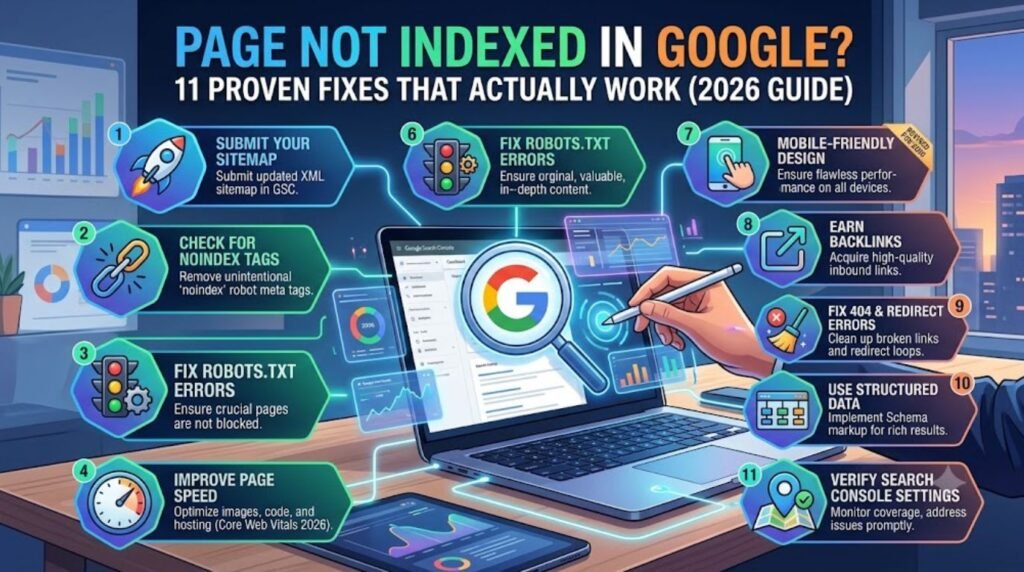
Seeing a page not indexed in Google is one of the most frustrating moments for any site owner. The content is live, it looks fine in a browser, and yet it’s nowhere to be found in search results. That usually means Google either hasn’t crawled the page yet or crawled it and chose not to add it to the index. Neither situation is random. Google Search Console almost always shows a specific reason, and once that reason is known, the fix is usually straightforward. This guide walks through what indexing actually means, why pages get skipped, and exactly how to get a page noticed by Google again, without guesswork.
Featured Snippet Answer
A page not indexed in Google usually means Googlebot hasn’t crawled it yet or crawled it and decided the content wasn’t valuable enough to store in the index. Common causes include a noindex tag, blocked robots.txt file, low-quality content, duplicate pages, or limited crawl budget. Checking Google Search Console reveals the exact reason.
What “Page Not Indexed” Actually Means
Indexing and crawling are two different steps, and mixing them up is where most confusion starts. Crawling is Google visiting a page. Indexing is Google deciding to store that page’s content so it can appear in search results later. A page can be crawled and still never make it into the index if Google’s systems judge it as low value, duplicate, or not worth the storage space.
Google Search Console’s Page Indexing report groups every URL on a site into categories, and each category points to a different underlying problem. Some are technical, like a redirect loop. Others are about content quality, like thin or duplicate pages. Reading the exact label Google assigns is the fastest way to know what’s actually wrong.
Common Reasons a Page Isn’t Indexed
Here are the most frequent causes site owners run into:
Noindex tag left on the page. A leftover “noindex” meta tag from staging or development blocks indexing entirely.
Blocked by robots.txt. If Googlebot can’t crawl the page, it can’t index it either.
Duplicate content. If another URL already covers the same topic, Google may treat the newer page as redundant.
Low perceived quality. Thin content, AI-generated filler, or pages that don’t add anything new compared to existing indexed pages tend to get skipped.
Crawl budget limits. Large sites, or sites with weak authority, may simply not get crawled often enough to reach every page.
New or low-authority domain. Brand-new sites often wait longer before Google prioritizes crawling their pages.
Redirect chains or errors. Broken redirects confuse crawlers and can stop indexing in its tracks.
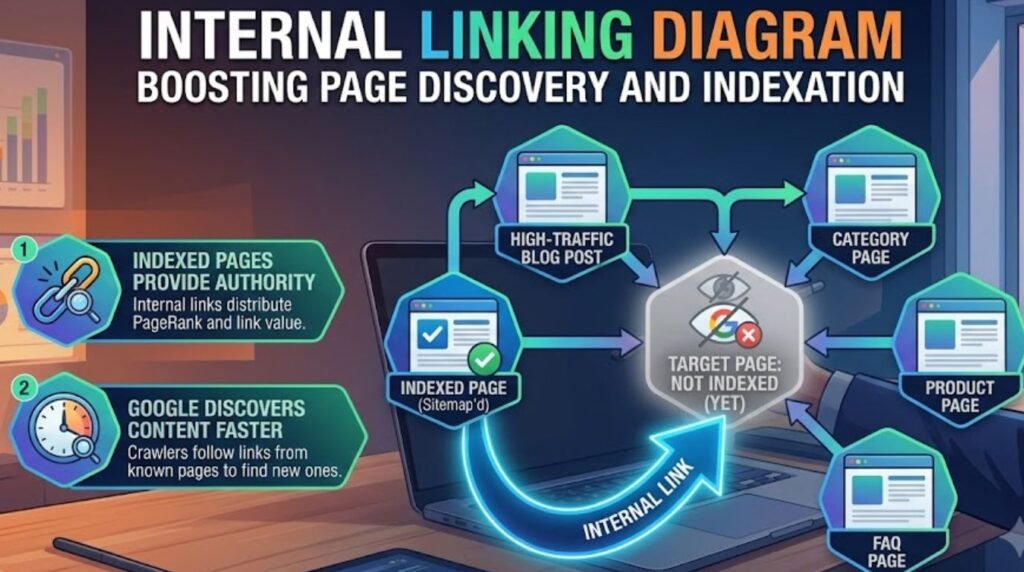
Poor internal linking. Pages that aren’t linked from anywhere else on the site are harder for Google to discover.
Slow load times or poor mobile experience. Site speed and mobile usability increasingly influence how quickly pages get crawled and indexed.
Discovered vs. Crawled – Currently Not Indexed (Comparison Table)
Google Search Console uses two very similar-sounding labels that actually mean different things.
| Feature | Discovered – Currently Not Indexed | Crawled – Currently Not Indexed |
|---|---|---|
| What it means | Google knows the URL exists but hasn’t crawled it yet | Google crawled the page but chose not to index it |
| Typical cause | Crawl budget limits or site-wide crawl delays | Content quality, duplication, or low perceived value |
| Fix priority | Improve internal linking and site authority | Improve content depth and uniqueness |
| Resubmission needed? | Usually resolves on its own over time | Manual request can help after fixing content |
| Timeframe to resolve | Days to weeks | Weeks, depending on content changes |
Step-by-Step: How to Check If a Page Is Indexed
Open Google Search Console and select the property for the site.

Use the URL Inspection tool and paste in the exact page URL.
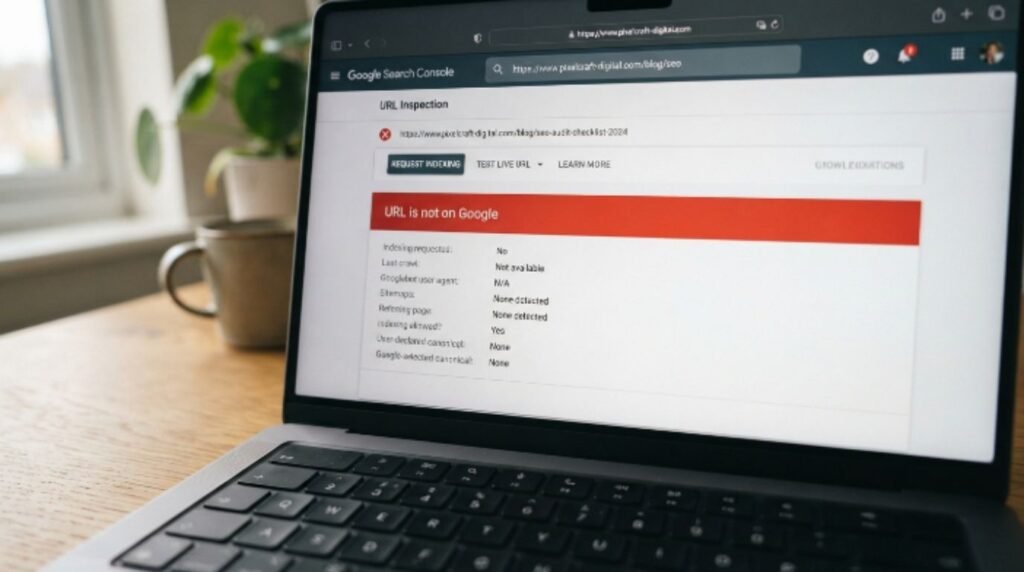
Read the status. It will say either “URL is on Google” or give a specific reason it isn’t.
Check the Page Indexing report under the Indexing section for a full breakdown of every non-indexed URL and why.
Cross-check with a site search. Searching click here directly in Google gives a quick, informal second opinion.
[Internal Link: ChatGPT Not Working On Mobile]
Step-by-Step: How to Fix a Page Not Indexed in Google
Confirm there’s no noindex tag in the page’s HTML or in the CMS settings.
Check robots.txt to make sure the page and its resources aren’t blocked.
Improve the content so it offers something genuinely different from what’s already ranking, not just a reworded version of existing pages.
Add internal links to the page from other indexed, relevant pages on the same site.
Fix technical issues, including redirect chains, slow load times, and mobile usability problems.
Submit the page through the URL Inspection tool’s “Request Indexing” option.
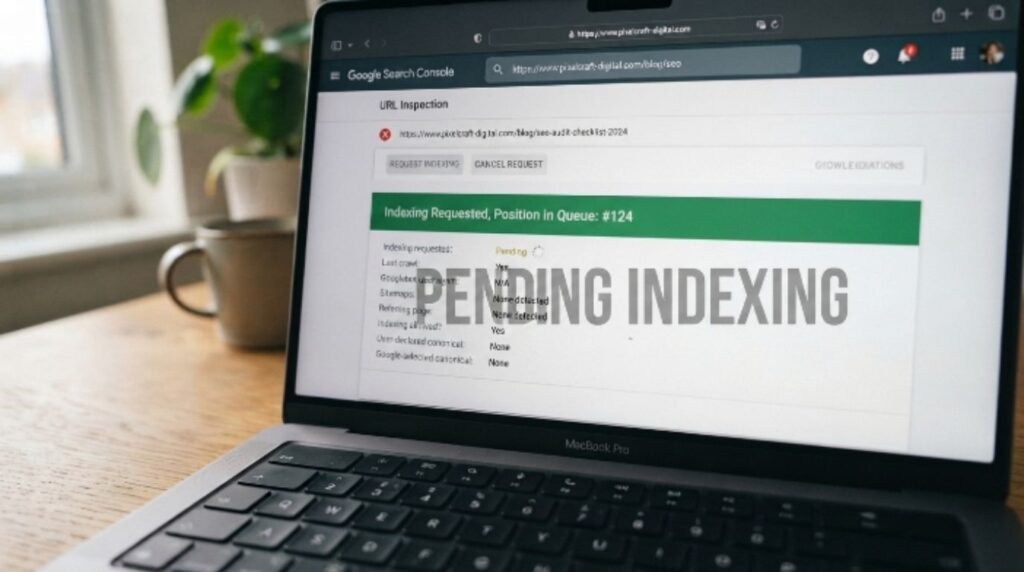
Wait and monitor. Re-check the Page Indexing report over the following one to two weeks.
Build authority through legitimate backlinks and consistent publishing if the issue persists across many pages.
[Internal Link: ChatGPT Down]
Pros & Cons of Manually Requesting Indexing
| Pros | Cons |
|---|---|
| Can speed up crawling for a single, important page | Doesn’t guarantee indexing if quality issues remain |
| Free and available directly inside Search Console | Has a daily request limit |
| Useful after fixing a specific technical issue | Overuse can look like an attempt to force low-value pages in |
| Gives clear feedback through the inspection tool | Doesn’t fix the underlying content problem |
[chatgpt verification code not received]
Common Mistakes to Avoid
- Requesting indexing repeatedly without fixing the actual problem first.
- Assuming it’s a bug when Google is often making a deliberate quality-based decision.
- Ignoring the specific reason listed in Search Console and guessing instead.
- Publishing thin or duplicate pages just to fill out a content calendar.
- Forgetting mobile usability, which plays a growing role in crawl and index decisions.
- Not checking robots.txt after a site migration or redesign.
Expert Tips
- Google Search Central recommends focusing on content that offers genuine value rather than trying to “trick” the index with technical workarounds.
- According to Google’s own documentation, indexing is not guaranteed for any page, even one that’s fully crawlable and error-free.
- Most experienced SEOs report that internal linking from already-indexed pages is one of the fastest, most reliable ways to help a new page get discovered.
- Prioritize pages with real search demand. A page built around a topic nobody is searching for is less likely to be indexed quickly, regardless of quality.
- Keep an eye on Search Console’s report update schedule, since data can sometimes lag behind real-world indexing by a few days.
[Internal Link: ChatGPT Slow Today]
FAQs
1. Why is my page not indexed in Google even though it has no errors?
Google can crawl a page successfully and still decide not to index it if the content doesn’t offer enough unique value compared to what’s already ranking.
2. How long does it take for Google to index a new page?
It varies widely, but many pages get indexed within a few days to a few weeks, depending on site authority and crawl frequency.
3. Does requesting indexing in Search Console guarantee it will get indexed?
No. It can speed up crawling, but Google still applies the same quality checks before adding the page to the index.
4. Can a noindex tag be added by accident?
Yes, this commonly happens when a staging site setting is copied over to production, or a plugin misconfiguration adds the tag site-wide.
5. Why does Search Console show “Discovered – currently not indexed”?
This means Google knows the page exists but hasn’t crawled it yet, often due to crawl budget limits or low site authority.
6. Does site speed affect indexing?
Yes. Slow-loading pages and poor mobile experiences can reduce how often and how thoroughly Google crawls a site.
7. Should every page on a website be indexed?
Not necessarily. Thin utility pages, like internal search results or duplicate filter pages, are often better left out of the index intentionally.
[Internal Link: ChatGPT Not Responding] [Internal Link: ChatGPT Server Error]
Conclusion
A page not indexed in Google is rarely a mystery once the right report is checked. Most of the time, the cause falls into one of a handful of buckets: a technical block, a content quality gap, or a crawl budget limitation. Working through the Page Indexing report, fixing the specific issue it flags, and strengthening internal links usually resolves the problem within a few weeks. For anyone dealing with this right now, the best next step is opening Google Search Console today, checking the exact status of the affected page, and working through the fixes above one at a time.