
Introduction
Many users face the frustrating issue where Instagram can’t follow people, even when everything seems normal. This problem can happen suddenly and may stop users from growing their network, engaging with content, or building their brand.
The issue is more common than most people think. It can be caused by temporary restrictions, account limits, app bugs, or even suspicious activity detected by Instagram’s system.
According to official guidance from <a href=”https://help.instagram.com/” target=”_blank”>Meta</a>, Instagram applies limits to protect the platform from spam and abuse. When users exceed these limits, they may temporarily lose the ability to follow others.
This guide explains every possible reason behind the problem and provides simple, step-by-step solutions to fix it quickly. Whether someone uses Instagram for personal use or business growth, this article helps them regain control and avoid future issues.
[ ChatGPT Login Problem]
[ ChatGPT Not Working]
Featured Snippet
If Instagram can’t follow people, it is usually due to temporary action blocks, daily follow limits, or suspicious activity. Users can fix it by waiting 24–48 hours, reducing activity, updating the app, or switching networks. Following Instagram guidelines helps prevent the issue from happening again.
Why Instagram Can’t Follow People (Common Reasons)
1. Action Block by Instagram
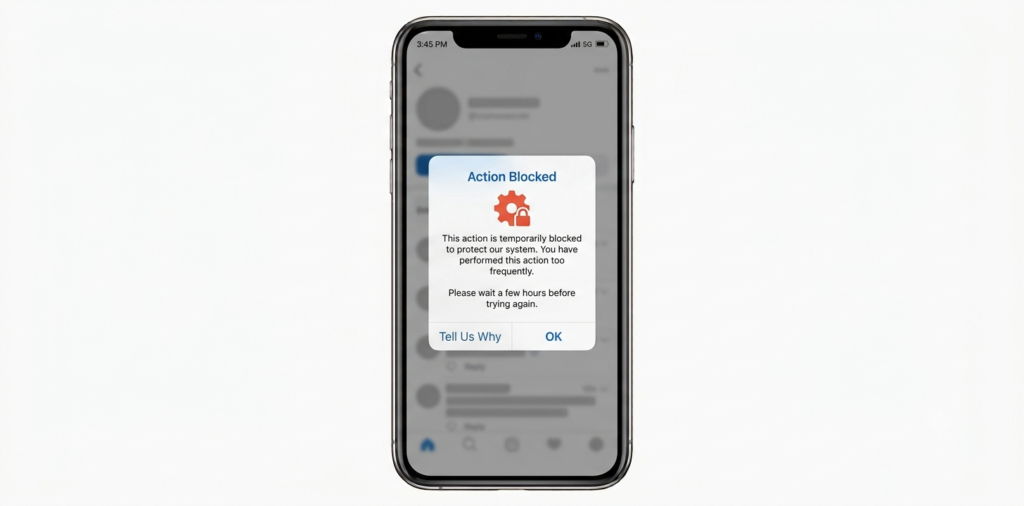
Instagram often blocks actions like following, liking, or commenting if it detects unusual behavior. This is called an “action block.”
For example:
- Following too many people quickly
- Using automation tools
- Repeating the same actions
These blocks can last from a few hours to several days.
2. Daily Follow Limit Reached
Instagram limits how many accounts a user can follow in a day.
Typical limits:
- New accounts: 100–150 follows/day
- Older accounts: 150–200 follows/day
Exceeding this triggers restrictions.
3. Temporary App Glitch
Sometimes the issue is not serious. It may just be a bug in the app.
This can happen due to:
- Outdated app version
- Cache issues
- Device errors
4. Internet Connection Issues
A weak or unstable internet connection can prevent actions from completing.
Users may think the follow failed due to restrictions, but it’s just a network issue.
5. Account Flagged as Spam
Instagram’s system may flag accounts that behave like bots.
Triggers include:
- Rapid following/unfollowing
- Copy-paste comments
- Third-party apps
6. Target Account Restrictions
Sometimes, the issue is not with the user’s account.
The other account may:
- Have privacy settings
- Blocked the user
- Reached follower limits
[ChatGPT Plus Worth It]
[ChatGPT Network Error]
Quick Comparison of Causes & Fixes
| Problem | Cause | Fix |
|---|---|---|
| Action Block | Too many actions | Wait 24–48 hours |
| Follow Limit | Daily cap reached | Reduce activity |
| App Bug | Outdated app | Update/reinstall |
| Network Issue | Weak internet | Switch network |
| Spam Detection | Bot-like behavior | Stop automation |
Step-by-Step Fix Guide
Step 1: Wait and Pause Activity
If Instagram blocks actions, the best solution is to stop using it for 24–48 hours.
This helps reset account trust.
Step 2: Check Internet Connection
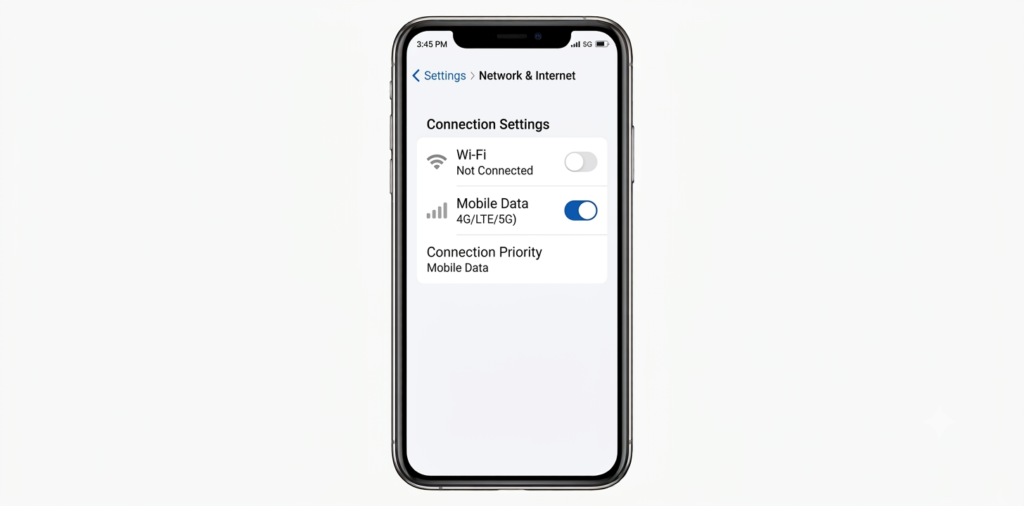
- Switch from Wi-Fi to mobile data
- Restart router
- Test other apps
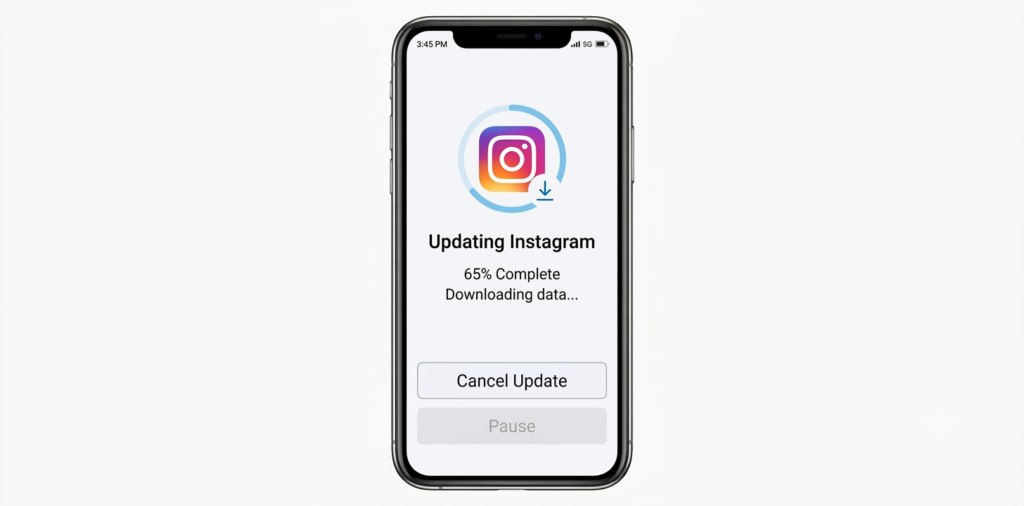
Step 3: Update Instagram App
Go to:
- <a href=”https://play.google.com/store” target=”_blank”>Android Help</a>
- <a href=”https://support.apple.com/” target=”_blank”>Apple Support</a>
Update the app to fix bugs.
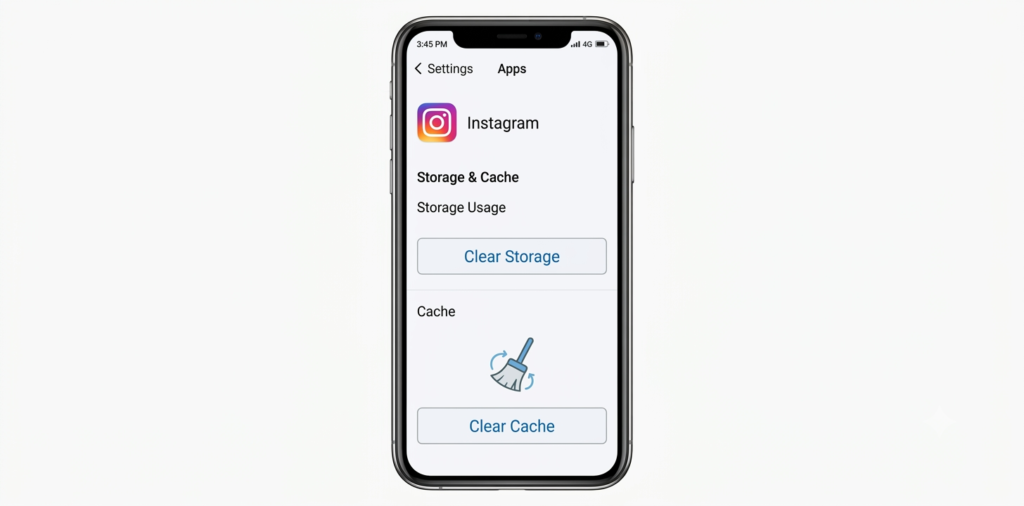
Step 4: Clear Cache
Android users can:
- Open Settings
- Go to Apps
- Select Instagram
- Tap “Clear Cache”
Step 5: Log Out and Log Back In
This refreshes the account session and may fix temporary glitches.
Step 6: Avoid Third-Party Apps
Remove any automation tools connected to Instagram.
According to <a href=”https://help.instagram.com/” target=”_blank”>Meta</a>, third-party tools can lead to restrictions.
Step 7: Verify Account
Sometimes verification helps restore normal activity.
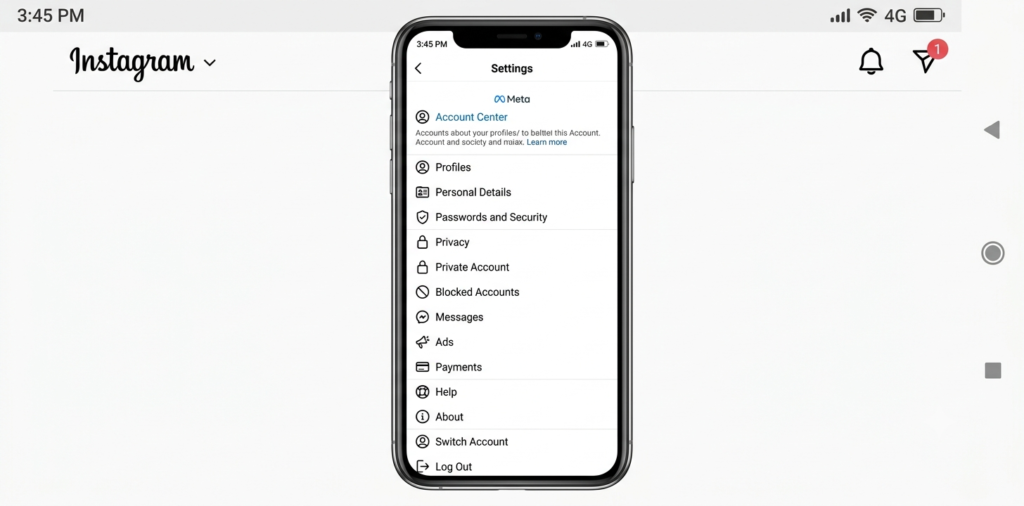
Step 8: Report the Issue
Use Instagram’s “Report a Problem” feature.
[ ChatGPT Slow Response]
[ ChatGPT Error Fix Guide]
How to Avoid Getting Blocked Again
- Follow users slowly (not in bulk)
- Avoid automation tools
- Keep actions natural
- Maintain consistent activity
- Don’t spam comments
According to <a href=”https://developers.facebook.com/” target=”_blank”>Meta Developers</a>, safe usage patterns reduce restrictions.
Pros & Cons of Instagram Limits
| Pros | Cons |
|---|---|
| Reduces spam | Limits growth speed |
| Protects users | Frustrates real users |
| Improves safety | Can block innocent actions |
Common Mistakes to Avoid
- Following hundreds of accounts quickly
- Using bots or automation tools
- Ignoring app updates
- Switching devices too frequently
- Repeating identical actions
These mistakes often trigger restrictions.
Expert Tips
- Warm up new accounts slowly
- Use Instagram manually
- Engage with content naturally
- Focus on quality over quantity
- Keep a daily action limit
Most users report better results when they avoid aggressive growth tactics.
FAQs
1. Why can’t I follow people on Instagram suddenly?
This usually happens due to action blocks or reaching daily limits. Waiting and reducing activity often fixes it.
2. How long does Instagram follow block last?
It can last from a few hours to 48 hours, depending on activity.
3. Can Instagram ban my account for following too much?
Yes, repeated violations may lead to temporary or permanent bans.
4. How many people can I follow per day?
Typically 100–200, depending on account age and activity.
5. Does using VPN affect Instagram actions?
Yes, switching locations frequently can trigger security alerts.
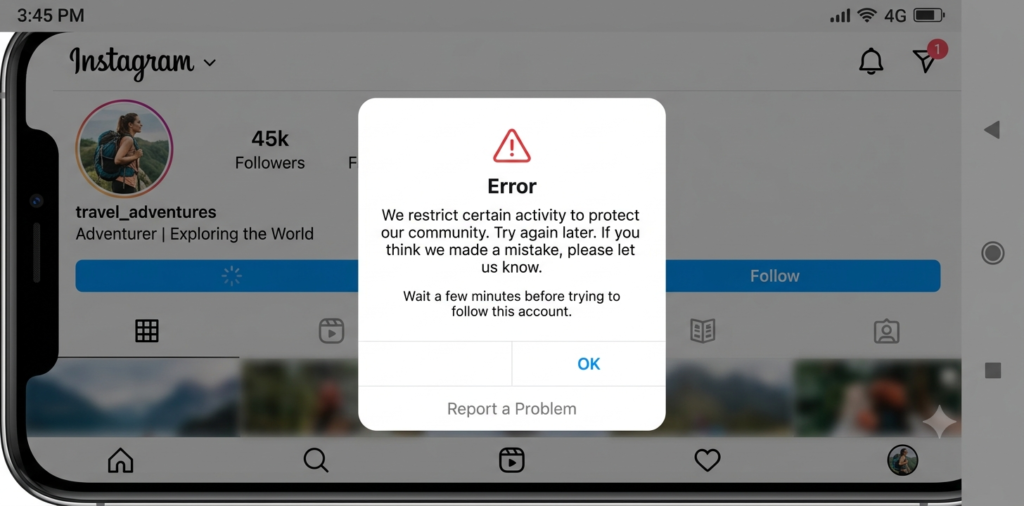
6. Why does Instagram say “Try Again Later”?
This message indicates a temporary restriction due to unusual activity.
7. Can I fix the issue instantly?
There is no instant fix. Waiting and reducing actions is the safest solution.
Conclusion
When Instagram can’t follow people, it usually means the platform is protecting itself from spam or suspicious activity. While frustrating, the issue is often temporary and easy to fix with the right steps.
By slowing down activity, avoiding automation tools, and following platform guidelines, users can restore full functionality and prevent future restrictions.
For long-term success, it’s better to grow naturally rather than aggressively.
If this guide helped, consider exploring more troubleshooting articles and stay updated with platform changes.Introduction
Many users face the frustrating issue where Instagram can’t follow people, even when everything seems normal. This problem can happen suddenly and may stop users from growing their network, engaging with content, or building their brand.
The issue is more common than most people think. It can be caused by temporary restrictions, account limits, app bugs, or even suspicious activity detected by Instagram’s system.
According to official guidance from <a href=”https://help.instagram.com/” target=”_blank”>Meta</a>, Instagram applies limits to protect the platform from spam and abuse. When users exceed these limits, they may temporarily lose the ability to follow others.
This guide explains every possible reason behind the problem and provides simple, step-by-step solutions to fix it quickly. Whether someone uses Instagram for personal use or business growth, this article helps them regain control and avoid future issues.
[ ChatGPT Login Problem]
[ ChatGPT Not Working]
Featured Snippet
If Instagram can’t follow people, it is usually due to temporary action blocks, daily follow limits, or suspicious activity. Users can fix it by waiting 24–48 hours, reducing activity, updating the app, or switching networks. Following Instagram guidelines helps prevent the issue from happening again.
Why Instagram Can’t Follow People (Common Reasons)
1. Action Block by Instagram
Instagram often blocks actions like following, liking, or commenting if it detects unusual behavior. This is called an “action block.”
For example:
- Following too many people quickly
- Using automation tools
- Repeating the same actions
These blocks can last from a few hours to several days.
2. Daily Follow Limit Reached
Instagram limits how many accounts a user can follow in a day.
Typical limits:
- New accounts: 100–150 follows/day
- Older accounts: 150–200 follows/day
Exceeding this triggers restrictions.
3. Temporary App Glitch
Sometimes the issue is not serious. It may just be a bug in the app.
This can happen due to:
- Outdated app version
- Cache issues
- Device errors
4. Internet Connection Issues
A weak or unstable internet connection can prevent actions from completing.
Users may think the follow failed due to restrictions, but it’s just a network issue.
5. Account Flagged as Spam
Instagram’s system may flag accounts that behave like bots.
Triggers include:
- Rapid following/unfollowing
- Copy-paste comments
- Third-party apps
6. Target Account Restrictions
Sometimes, the issue is not with the user’s account.
The other account may:
- Have privacy settings
- Blocked the user
- Reached follower limits
[ ChatGPT Plus Worth It]
[ ChatGPT Network Error]
Quick Comparison of Causes & Fixes
| Problem | Cause | Fix |
|---|---|---|
| Action Block | Too many actions | Wait 24–48 hours |
| Follow Limit | Daily cap reached | Reduce activity |
| App Bug | Outdated app | Update/reinstall |
| Network Issue | Weak internet | Switch network |
| Spam Detection | Bot-like behavior | Stop automation |
Step-by-Step Fix Guide
Step 1: Wait and Pause Activity
If Instagram blocks actions, the best solution is to stop using it for 24–48 hours.
This helps reset account trust.
Step 2: Check Internet Connection
- Switch from Wi-Fi to mobile data
- Restart router
- Test other apps
Step 3: Update Instagram App
Go to:
- <a href=”https://play.google.com/store” target=”_blank”>Android Help</a>
- <a href=”https://support.apple.com/” target=”_blank”>Apple Support</a>
Update the app to fix bugs.
Step 4: Clear Cache
Android users can:
- Open Settings
- Go to Apps
- Select Instagram
- Tap “Clear Cache”
Step 5: Log Out and Log Back In
This refreshes the account session and may fix temporary glitches.
Step 6: Avoid Third-Party Apps
Remove any automation tools connected to Instagram.
According to <a href=”https://help.instagram.com/” target=”_blank”>Meta</a>, third-party tools can lead to restrictions.
Step 7: Verify Account
Sometimes verification helps restore normal activity.
Step 8: Report the Issue
Use Instagram’s “Report a Problem” feature.
[ ChatGPT Slow Response]
[ ChatGPT Error Fix Guide]
How to Avoid Getting Blocked Again
- Follow users slowly (not in bulk)
- Avoid automation tools
- Keep actions natural
- Maintain consistent activity
- Don’t spam comments
According to <a href=”https://developers.facebook.com/” target=”_blank”>Meta Developers</a>, safe usage patterns reduce restrictions.
Pros & Cons of Instagram Limits
| Pros | Cons |
|---|---|
| Reduces spam | Limits growth speed |
| Protects users | Frustrates real users |
| Improves safety | Can block innocent actions |
Common Mistakes to Avoid
- Following hundreds of accounts quickly
- Using bots or automation tools
- Ignoring app updates
- Switching devices too frequently
- Repeating identical actions
These mistakes often trigger restrictions.
Expert Tips
- Warm up new accounts slowly
- Use Instagram manually
- Engage with content naturally
- Focus on quality over quantity
- Keep a daily action limit
Most users report better results when they avoid aggressive growth tactics.
FAQs
1. Why can’t I follow people on Instagram suddenly?
This usually happens due to action blocks or reaching daily limits. Waiting and reducing activity often fixes it.
2. How long does Instagram follow block last?
It can last from a few hours to 48 hours, depending on activity.
3. Can Instagram ban my account for following too much?
Yes, repeated violations may lead to temporary or permanent bans.
4. How many people can I follow per day?
Typically 100–200, depending on account age and activity.
5. Does using VPN affect Instagram actions?
Yes, switching locations frequently can trigger security alerts.
6. Why does Instagram say “Try Again Later”?
This message indicates a temporary restriction due to unusual activity.
7. Can I fix the issue instantly?
There is no instant fix. Waiting and reducing actions is the safest solution.
Conclusion
When Instagram can’t follow people, it usually means the platform is protecting itself from spam or suspicious activity. While frustrating, the issue is often temporary and easy to fix with the right steps.
By slowing down activity, avoiding automation tools, and following platform guidelines, users can restore full functionality and prevent future restrictions.
For long-term success, it’s better to grow naturally rather than aggressively.
If this guide helped, consider exploring more troubleshooting articles and stay updated with platform changes.