
Introduction
Getting locked out of Instagram is stressful, especially when the Instagram password reset not working problem shows up right when someone needs their account most. Maybe the reset link never lands in the inbox. Maybe the code keeps saying it’s invalid. Or maybe the whole process just spins and goes nowhere. Whatever the exact symptom, this is one of the most common account-access complaints Instagram users search for every single day.
The good news is that this issue almost always comes down to a handful of predictable causes: email delivery delays, outdated apps, server hiccups, or simple typos during the reset process. This guide walks through every practical fix, in the order most likely to work first, so the account can be recovered without wasting hours guessing.
Featured Snippet Answer
Instagram password reset not working is usually caused by delayed emails, an outdated app, incorrect account details, or a temporary server issue on Instagram’s end. Fixing it typically involves checking spam folders, updating the app, requesting a fresh reset link, and confirming the correct email, phone number, or username is being used.
Why Instagram Password Reset Isn’t Working {#why-reset-fails}
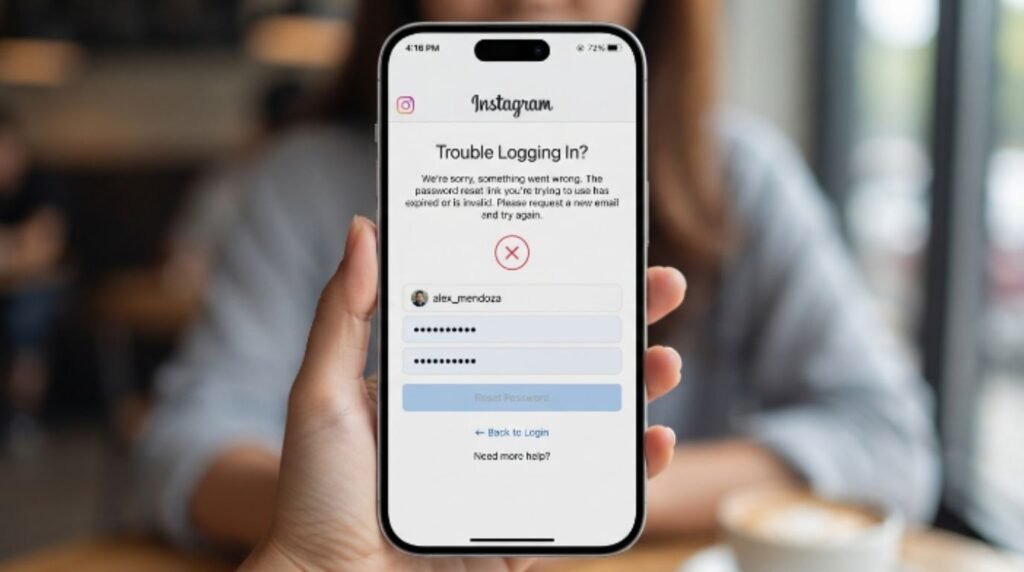
There isn’t just one reason this happens. According to official documentation from Meta, Instagram’s parent company, account recovery relies on matching the request to the correct contact information on file, and any mismatch or delay in that chain can stall the process.
Here are the most common culprits:
1. The reset email or SMS is delayed or missing. Email providers sometimes take several minutes to deliver Instagram’s messages, and some route them straight to spam or promotions folders.
2. The app is outdated. Instagram updates its login and security flow often. An old app version may not process the newest reset method correctly.
3. The wrong contact method was used. If the account is linked to an old phone number or a secondary email, requests sent to the primary one may never arrive.
4. Instagram is experiencing a service outage. Like any large platform, Instagram occasionally has downtime that affects login and recovery tools specifically.
5. Too many reset attempts triggered a temporary block. Requesting several codes in a row can flag the account and pause new requests for a short cooldown period.
6. Browser or app cache issues. Corrupted cache data can interfere with how the reset page loads or submits.
7. The account may be under review or restricted. In some cases, Meta places accounts under extra scrutiny, which can slow down or block recovery flows until identity is confirmed.
[Internal Link: Instagram Login Problem]
Step-by-Step: How to Fix Instagram Password Reset Issues {#step-by-step}
These steps are listed in the order most users should try them, starting with the fastest fixes.
Wait five to ten minutes before trying again. Email and SMS delivery isn’t always instant. Most users report the reset code or link arrives within this window.
Check spam, junk, and promotions folders. Instagram’s automated emails sometimes get filtered by aggressive spam settings.
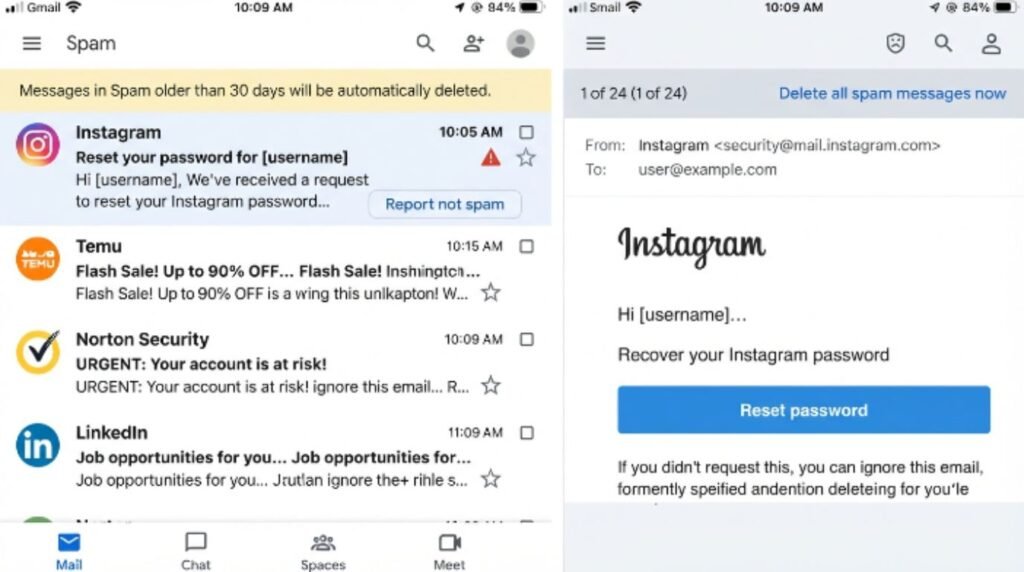
Confirm the correct email or phone number is being used. Try every email address or number that might be linked to the account, including old ones.
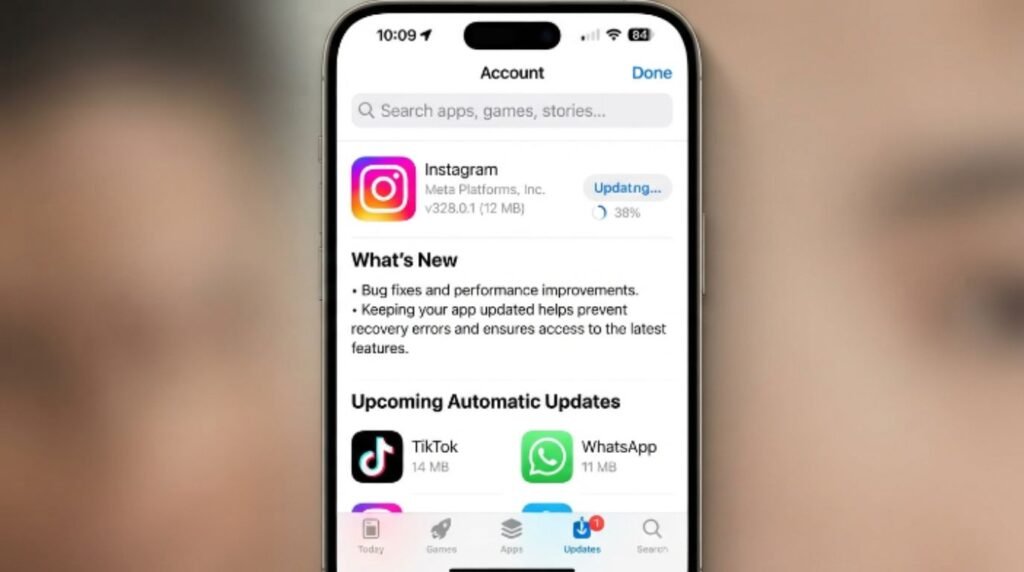
Update the Instagram app to the latest version. Outdated versions can break the reset flow entirely. Check the App Store or Google Play for available updates.
Restart the phone or computer. This clears temporary glitches that can interfere with network requests.
Clear the app’s cache (Android) or reinstall the app (iOS). On Android, this can be done through device Settings without deleting login data stored server-side.
Try resetting from a browser instead of the app, or vice versa. Sometimes one platform processes the request faster than the other.
Switch networks. Move from Wi-Fi to mobile data (or the reverse) in case the current network is blocking Instagram’s servers.
Disable VPN or proxy services. Instagram can flag unusual IP activity and delay account actions as a precaution.
Wait out a temporary block. If several reset attempts were made quickly, Instagram may impose a short cooldown, often resolving within an hour.
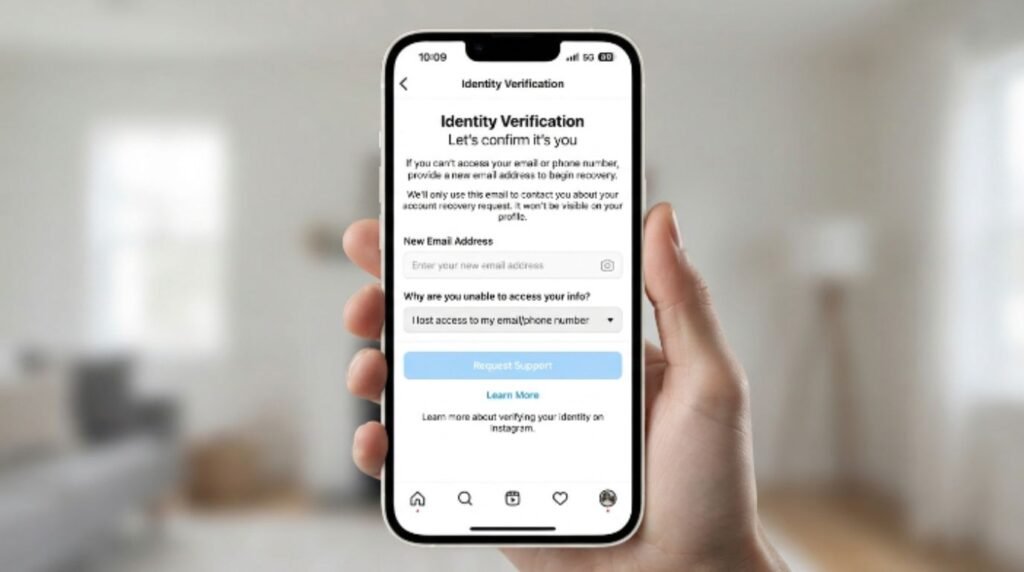
Use Instagram’s “Need more help?” recovery form. If nothing else works, this in-app or web-based form lets users verify identity through alternative means.
[Internal Link: Instagram Account Recovery Guide] [Internal Link: Instagram Two-Factor Authentication Setup]
Reset Methods Compared
| Reset Method | Speed | Reliability | Best For |
|---|---|---|---|
| Email link | Moderate (1–10 min) | High, unless email is outdated | Users with access to their linked email |
| SMS code | Fast (seconds to minutes) | High, unless number changed | Users with an active linked phone number |
| Facebook account login | Fast | High, if Facebook is still linked | Users who signed up via Facebook |
| “Need more help?” identity form | Slow (hours to days) | Reliable for locked or restricted accounts | Users with no working email or phone access |
Pros and Cons of Each Reset Method
| Method | Pros | Cons |
|---|---|---|
| Email link | Simple, widely used, easy to follow | Can be delayed or land in spam |
| SMS code | Fast delivery in most regions | Requires an active linked number |
| Facebook login | No email or SMS needed | Only works if accounts are still linked |
| Identity verification form | Works even without email/phone access | Slower, may take a day or more |
[Internal Link: Instagram Account Suspended Fix]
Common Mistakes to Avoid
- Requesting multiple reset codes back to back. This often triggers Instagram’s spam protection and delays every subsequent request.
- Typing the username or email with extra spaces or wrong capitalization. Instagram’s system is usually forgiving, but typos still cause failed matches.
- Ignoring app updates. Many recovery bugs are fixed in newer app versions, so skipping updates prolongs the problem.
- Using a VPN during recovery. This can make Instagram’s security systems flag the login attempt as suspicious.
- Giving up too early. Google recommends waiting at least 15–30 minutes between major troubleshooting steps, since some fixes take time to take effect on the server side.
- Trying third-party “password recovery” tools or websites. These are almost always scams designed to steal login credentials.
[Internal Link: Instagram Scam Websites Warning]
Expert Tips
- Keep contact information updated regularly. Meta explains that having a current email and phone number on file is the single biggest factor in successful account recovery.
- Turn on two-factor authentication once access is restored. This adds a backup verification method for future resets.
- Save a backup email address in account settings. A secondary email can be a lifesaver if the primary one becomes inaccessible.
- Note the exact error message. Screenshots of specific error text make it much easier for Instagram support to diagnose the issue if a manual report becomes necessary.
- Check Instagram’s status regularly during suspected outages. Third-party outage trackers and Instagram’s own official channels often confirm known issues quickly.
[Internal Link: Instagram Two-Factor Authentication Setup]
When to Contact Instagram Support {#contact-support}
If none of the steps above work after a reasonable amount of time, it’s worth reaching out through Instagram’s official Help Center rather than searching for third-party “support” contacts, which are frequently fraudulent. The in-app “Report a Problem” tool and the official Meta Help Center are the only verified channels for account-specific help.
For accounts that appear restricted or disabled rather than simply locked out, Meta’s support documentation notes that identity verification (often a photo or video selfie) may be required before a reset can complete.
[Internal Link: Instagram Disabled Account Recovery] [Internal Link: Instagram Fake Support Scams]
FAQs
1. Why is my Instagram reset code not arriving? This usually happens due to email delivery delays, spam filtering, or an outdated linked email address. Waiting a few minutes and checking spam folders resolves most cases.
2. Can too many reset attempts lock me out longer? Yes. Requesting several codes quickly can trigger a temporary cooldown period, so it’s best to wait a bit between attempts.
3. What if I no longer have access to my linked email or phone? Use Instagram’s identity verification form, which allows recovery through alternative identity checks instead of email or SMS.
4. Does clearing the app cache delete my Instagram data? No. Clearing cache only removes temporary files and does not affect the account itself, which is stored on Instagram’s servers.
5. Is it safe to use third-party password reset tools? No. These tools are not affiliated with Instagram and are commonly used to steal login credentials.
6. How long does an Instagram outage typically last? Outages vary, but most login and password-related disruptions are resolved within a few hours based on historical patterns.
7. Will updating the app fix reset problems? In many cases, yes. Older app versions can be incompatible with Instagram’s current security and recovery systems.
[Internal Link: Instagram App Update Guide]
Conclusion
Dealing with Instagram password reset not working can feel alarming, but in most cases the fix is simpler than it seems. Start with the basics: check spam folders, confirm the right contact details, update the app, and give the system a few minutes to catch up. If those steps don’t help, Instagram’s official identity verification form is the safest next move.
Anyone still stuck after trying these steps should turn to Instagram’s verified Help Center rather than unofficial “recovery services.” Taking a few minutes now to add a backup email and enable two-factor authentication can also prevent this frustration from happening again.